
A department manual housed in OneNote – the idea being that all reference material is in one place for everyone. Before the OneNote system, notes were housed in a SharePoint site and individual Word documents. This made it hard to navigate and even harder to keep updated.
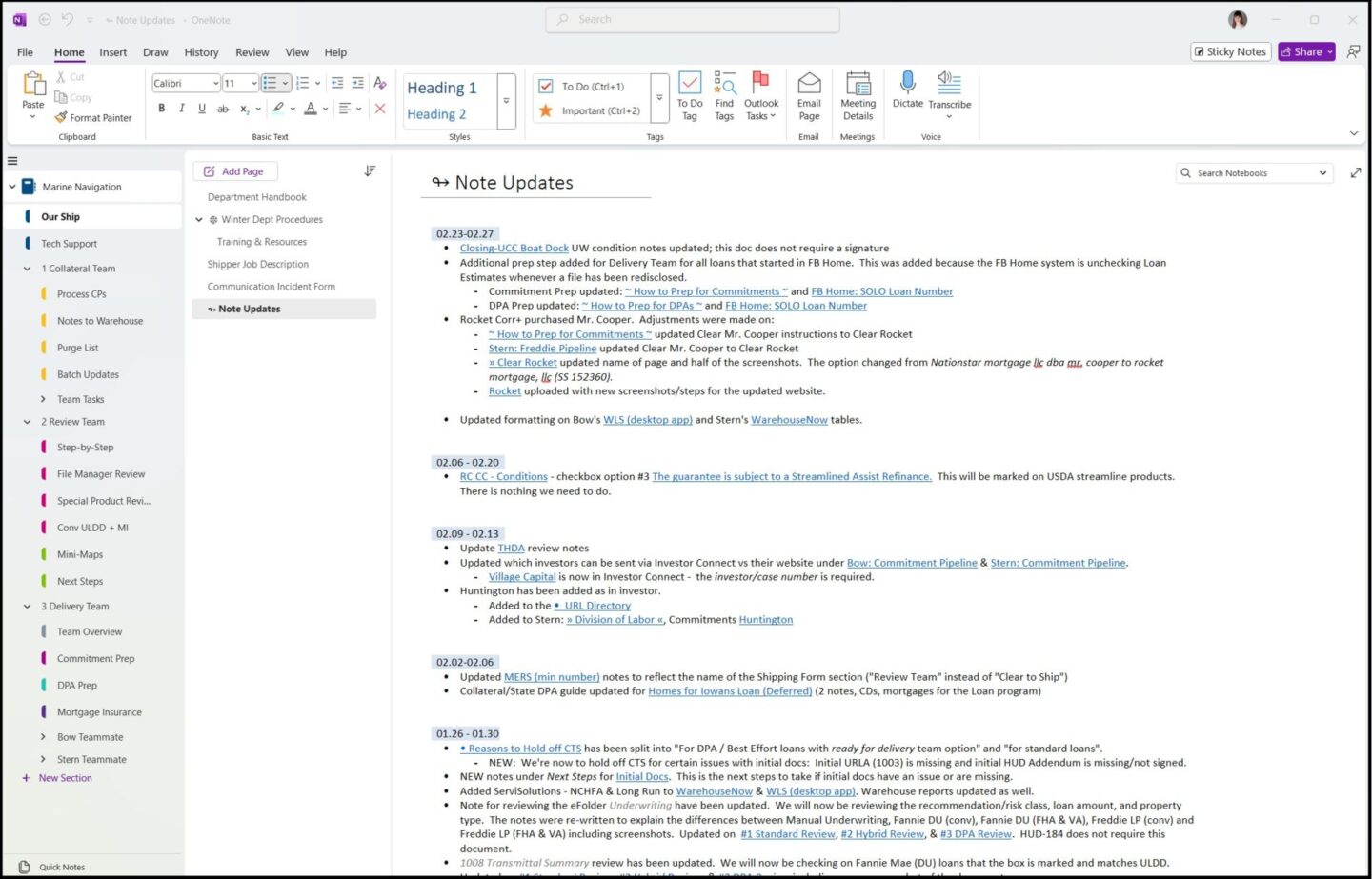
The OneNote’s navigation system is comprised of:
- Two sections of common knowledge (our ship and tech support)
- Three section groups (collateral team, review team, and delivery team) that house specific information for the tasks at hand. The other section groups could easily be collapsed to avoid visual clutter when needing to focus.
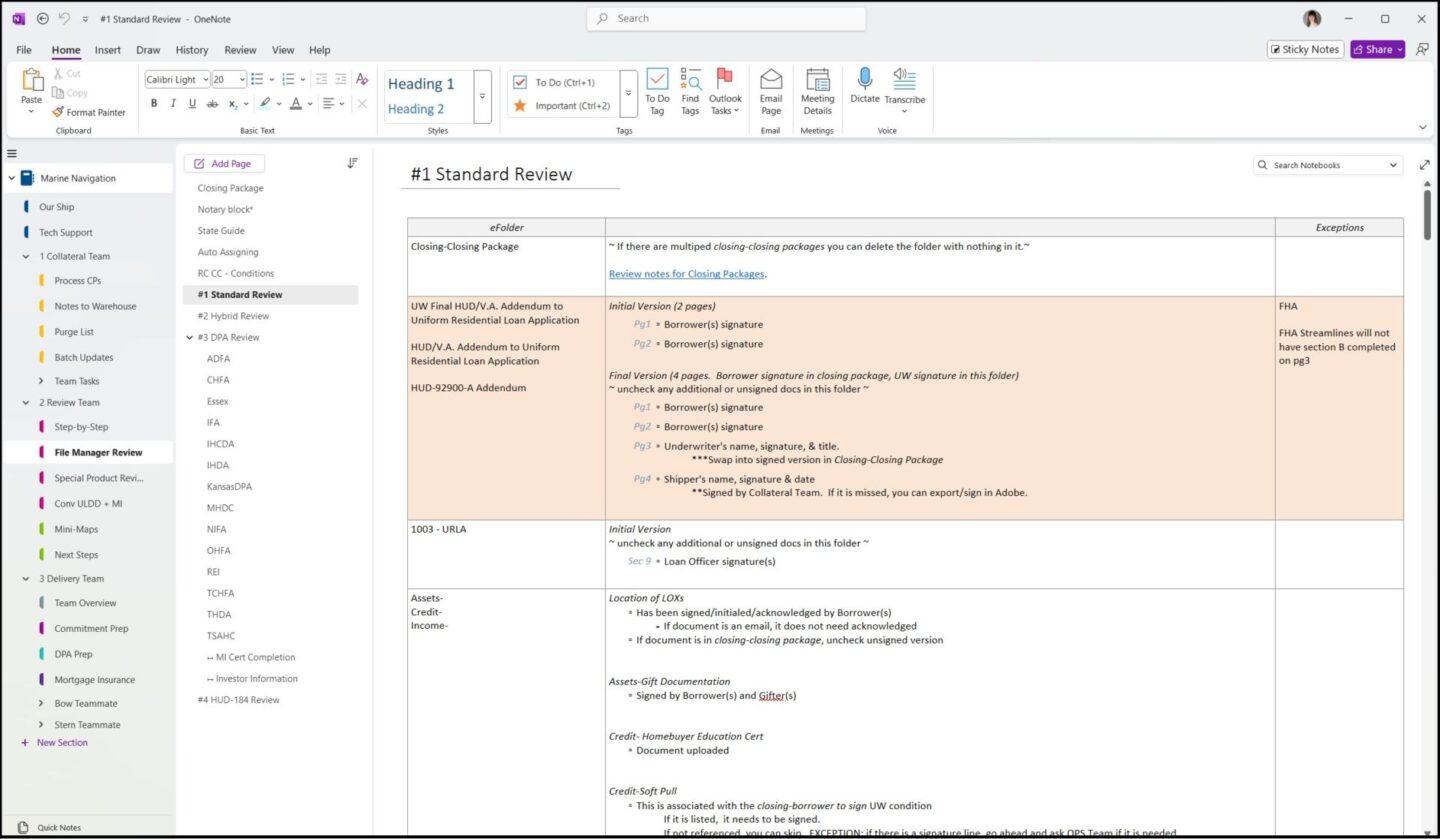
When an employee is more experienced, they no longer live within the notes as a lot of the information will be memorized at that point. Within our ship section, there is a page called note updates which has a weekly list of updates made to the notes with links to the exact location of the updated information.
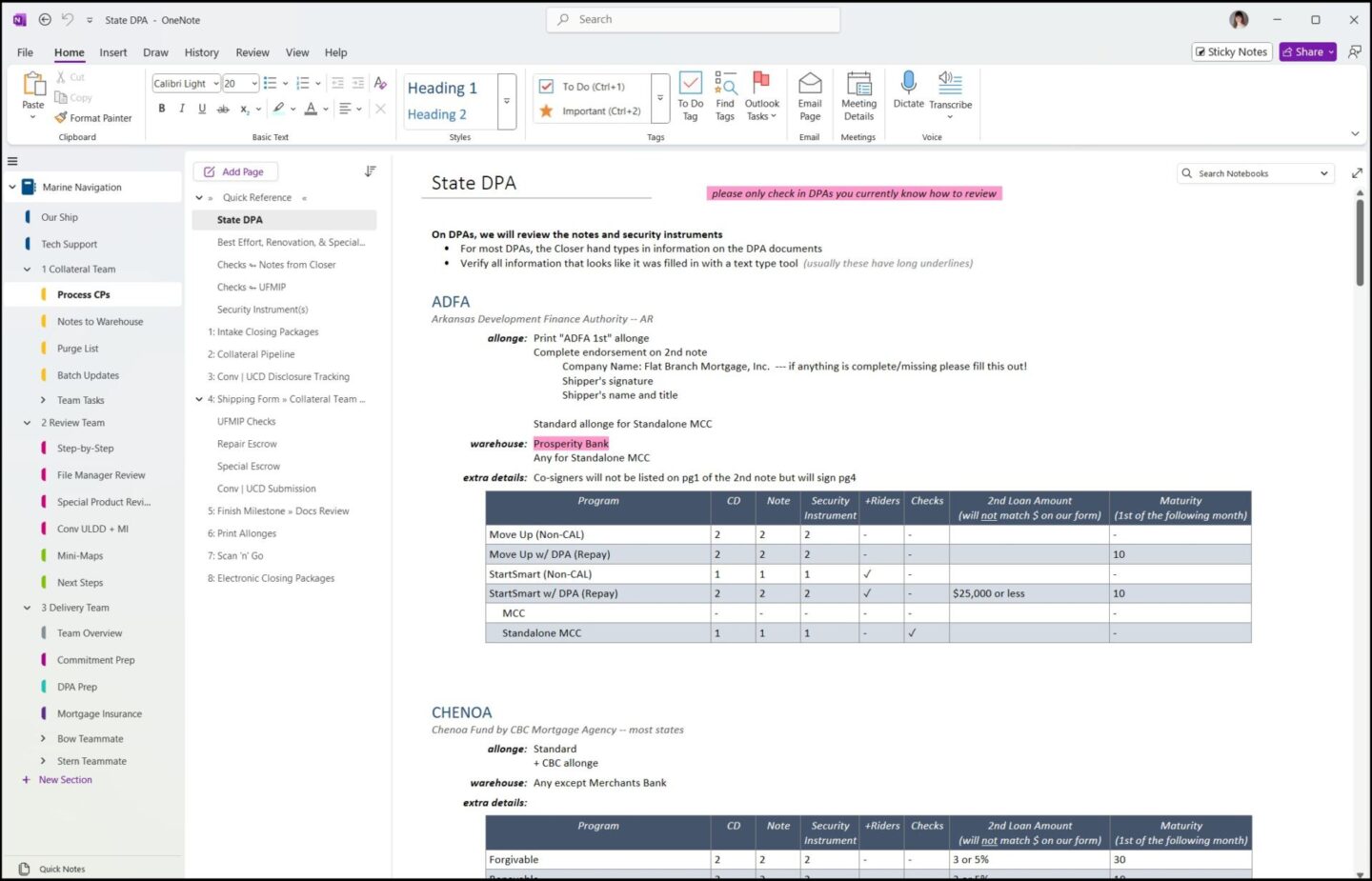
Each of the team sections is broken down to cater to new hires and experienced folks. They all include aspects of:
- A step-by-step guide including screenshots (mostly used by new hires). Depending on the type of instructions, the images are edited to include emphasis boxes and arrows to help with understanding the steps. This is especially the case when the instructions are for how to utilize external websites.
- A quick guide for more experienced employees. This is usually in the form of a table where the fluff is limited since they already know the basic steps
- Resource information and troubleshooting.
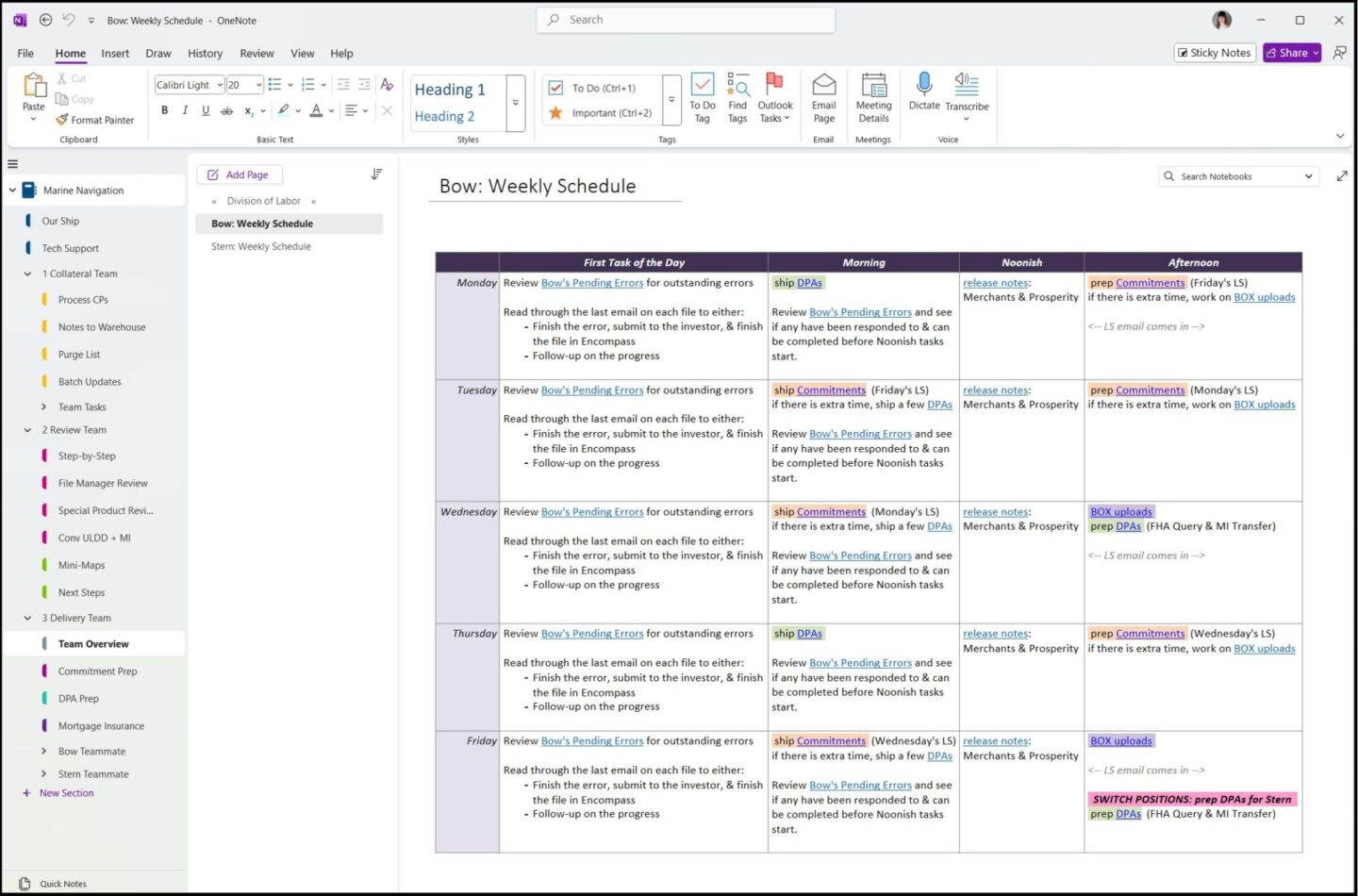
- Team overview and division of labor
Programs: Microsoft OneNote